AI Image Upscaler & Clear Image Enhancer
Upscale low-res images, unblur photos, and make blurry pictures clear enough for HD, 4K, product listings, and clean downloads.
Sign in to editNo card10 seconds
Loading editor...
4K proof
Inspect a real 4K detail before you pay.
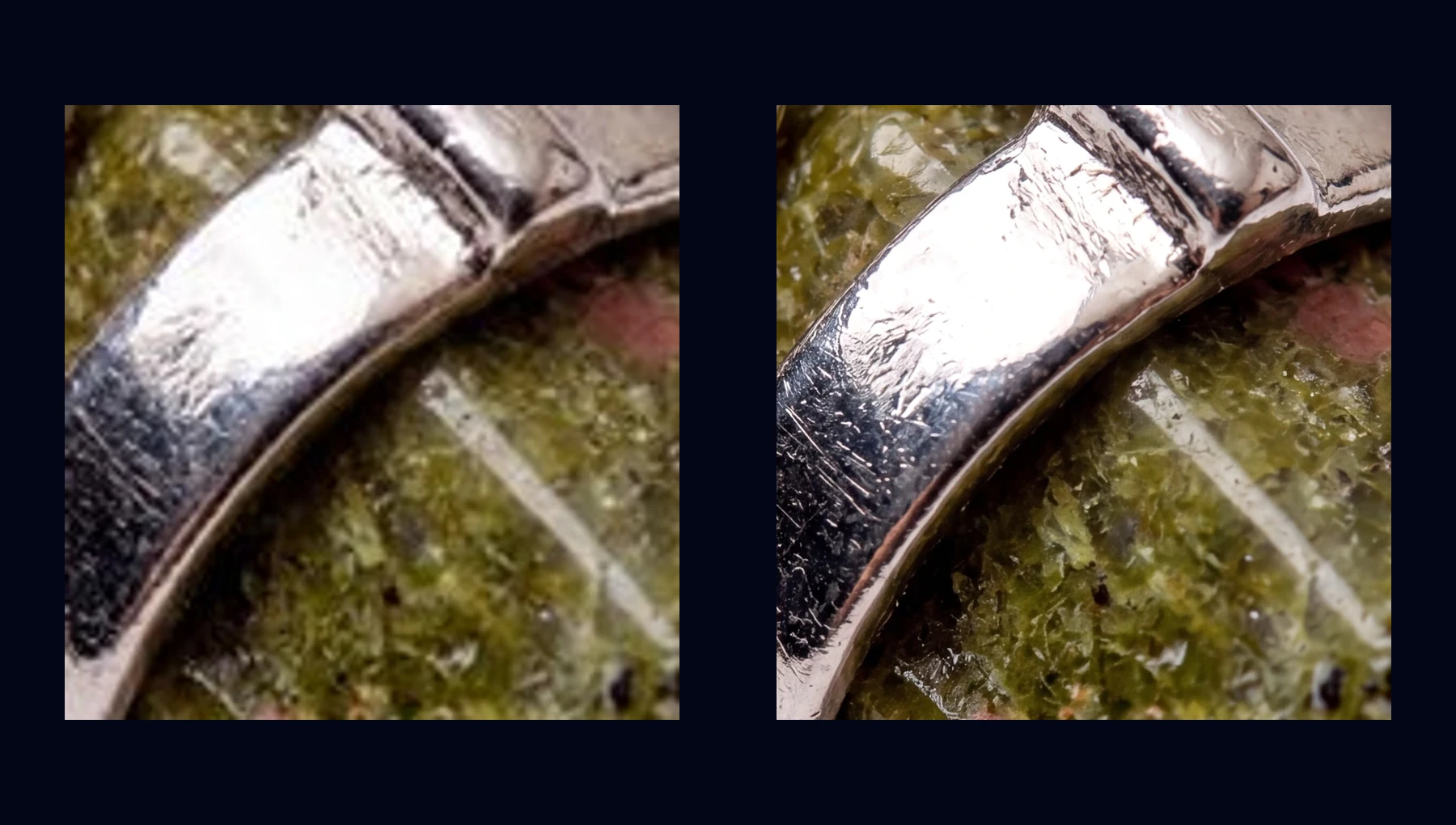
Compare the same local crop: the real 512px preview enlarged beside a clean high-resolution export. One full 4K sample is available to download.
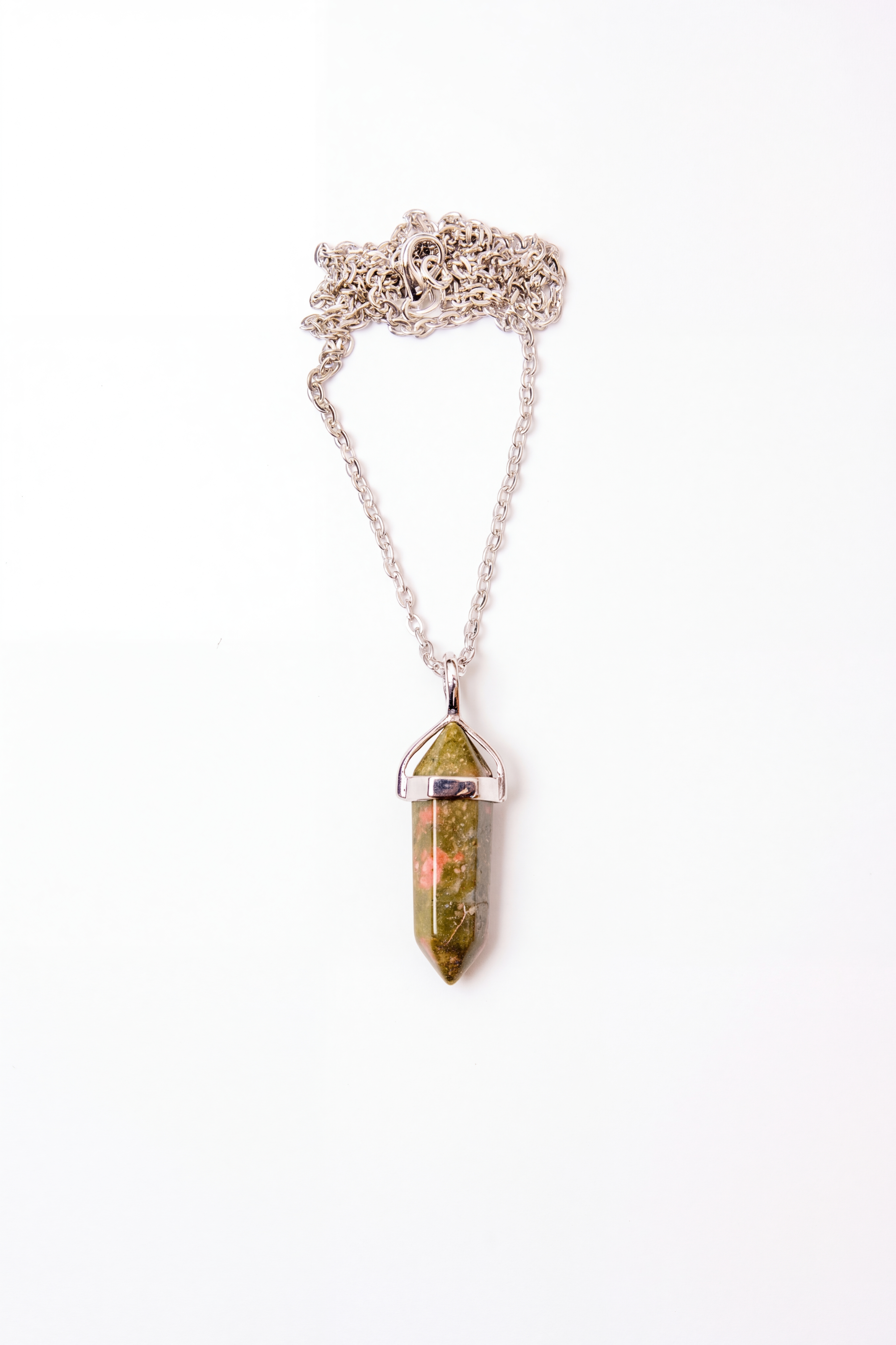
Default proof: Metal and stone texture341 × 512 → 3368 × 5056
Texture
Metal and stone texture
Fine scratches, reflective metal edges, and stone grain stay readable at export size.
512px preview
341 × 512
4K export
3368 × 5056
Switch scene
How Clear Image Upscaling Works in 3 Steps
1
Upload a blurry or low-res image
Drop in a JPG, PNG, or WebP up to 10 MB. Product photos, screenshots, phone photos, and compressed web images all work.
2
Ask for the clear result
Use prompts like “make this image clear,” “unblur this photo,” “upscale to 4K,” or “keep the text sharp.”
3
Download a sharper HD version
Start with a watermarked 512px preview, or unlock clean HD and 4K exports after your first purchase.
Clear Image AI vs a Traditional Image Resizer
A normal image resizer stretches the pixels you already have, so the result gets bigger but often stays blurry. A clear image AI workflow combines upscaling, deblurring, sharpening, and detail reconstruction so the result looks cleaner at a higher resolution.
Traditional resize
- Stretches existing pixels
- Edges become blurry
- Text becomes unreadable
- No new detail recovered
NanoEdit clear image upscaler
- Reconstructs missing texture
- Reduces blur before export
- Keeps text and product edges cleaner
- Works on screenshots and compressed images
Use Cases
🛒
Ecommerce product photos
Make low-res product shots clearer before listing, zooming, or batch export
📄
Screenshots and text images
Sharpen soft screenshots and keep small text more readable after upscaling
📸
Blurry phone photos
Clean up soft focus, compression, and low-light detail before sharing
🔎
Zoom without pixelation
Crop into details and upscale the result with cleaner edges
🖨️
Print-ready photos
Prepare small images for posters, canvases, and frames
🧾
Catalog and ad assets
Turn small web images into sharper source files for marketing layouts
Image Upscaler, Clear Image AI, Unblur Image — One Workflow
People search for this job with different words: image upscaler, clear image AI, unblur image, photo enhancer, image quality enhancer, or make photo clear. The intent is the same: upload a blurry, low-resolution, compressed, or small image and get a sharper version that is actually useful.
Some tools split upscaling, deblurring, sharpening, and enhancement into separate steps. NanoEdit lets you describe the result in one instruction: “make this image clear and upscale it to 4K,” “unblur this product photo,” or “keep the text readable.” If your image also needs background cleanup, the AI background remover pairs well with this workflow. AI image enhancer and pair it with the AI background remover.
It also covers search intent like “upscale image online” and “increase image resolution.” If your goal is to enlarge a small image, prepare a picture for print, or recover detail before export, this workflow is built for that exact job.
Looking for a free image upscaler or clear image enhancer online? NanoEdit is free to start after sign-in, works in any browser on desktop or mobile, and supports 512px downloads on the free tier. If you need more credits or higher-resolution exports, Creator starts at $12/month — no credit card is needed to start.
FAQ
How much can I upscale an image?
AI can typically upscale images 2-4x their original resolution while maintaining quality. Results depend on the source image quality.
Does upscaling reduce quality?
No. AI generates new detail rather than stretching existing pixels, so the result is sharper than simple resizing.
Can this make a blurry image clear?
Yes, it is designed for clear-image tasks like unblurring, sharpening, denoising, and upscaling. Very severe blur may not recover perfect detail, but mildly blurry or compressed images usually improve well.
What is the difference between an image upscaler and a clear image enhancer?
An image upscaler increases image dimensions, while a clear image enhancer improves sharpness, contrast, noise, and visible detail. NanoEdit can do both in one edit.
What is the maximum file size I can upload?
You can upload images up to 10 MB in JPG, PNG, or WebP format.
Can I upscale screenshots and low-resolution web images?
Yes. Screenshots, compressed social media photos, old scans, and low-res web images all benefit from AI upscaling.
Is the AI image upscaler really free?
Sign in to edit. Free users get 1 free daily credit. No credit card required. Free downloads include 512px, and higher resolutions unlock once you have credits.
Does it work for anime, pixel art, and illustrations?
Yes. The AI handles line art, anime, pixel art, and illustrations while preserving clean edges.
More AI Tools
AI Image Editor
Edit with natural language
Image Enhancer
Improve quality instantly
Image Expander
Uncrop and extend the canvas
Photo Restoration
Restore old and damaged photos
Face Retouch
Smooth skin & beautify
Background Remover
Remove backgrounds instantly
Background Changer
Swap any background
Transparent Background
PNG with no background
Object Remover
Erase unwanted objects
Watermark Remover
Clean watermarks away
Quality Checker
Analyze image quality
Image Compare
Compare two images
Image Converter
Batch convert image formats
Turn the next image into something you can use.
Try one edit, save the result, then scale into listings, ads, posters, and covers.
1 free daily credit · No card · Upgrade when output matters