AI Image Expander
Expand your canvas, uncrop portraits, and outpaint missing edges without stretching the original image.
Sign in to editNo cardOutpainting ready
Loading editor...
4K proof
Inspect a real 4K detail before you pay.
Compare the same local crop: the real 512px preview enlarged beside a clean high-resolution export. One full 4K sample is available to download.
Default proof: City depth and transit lines512 × 512 → 4096 × 4096
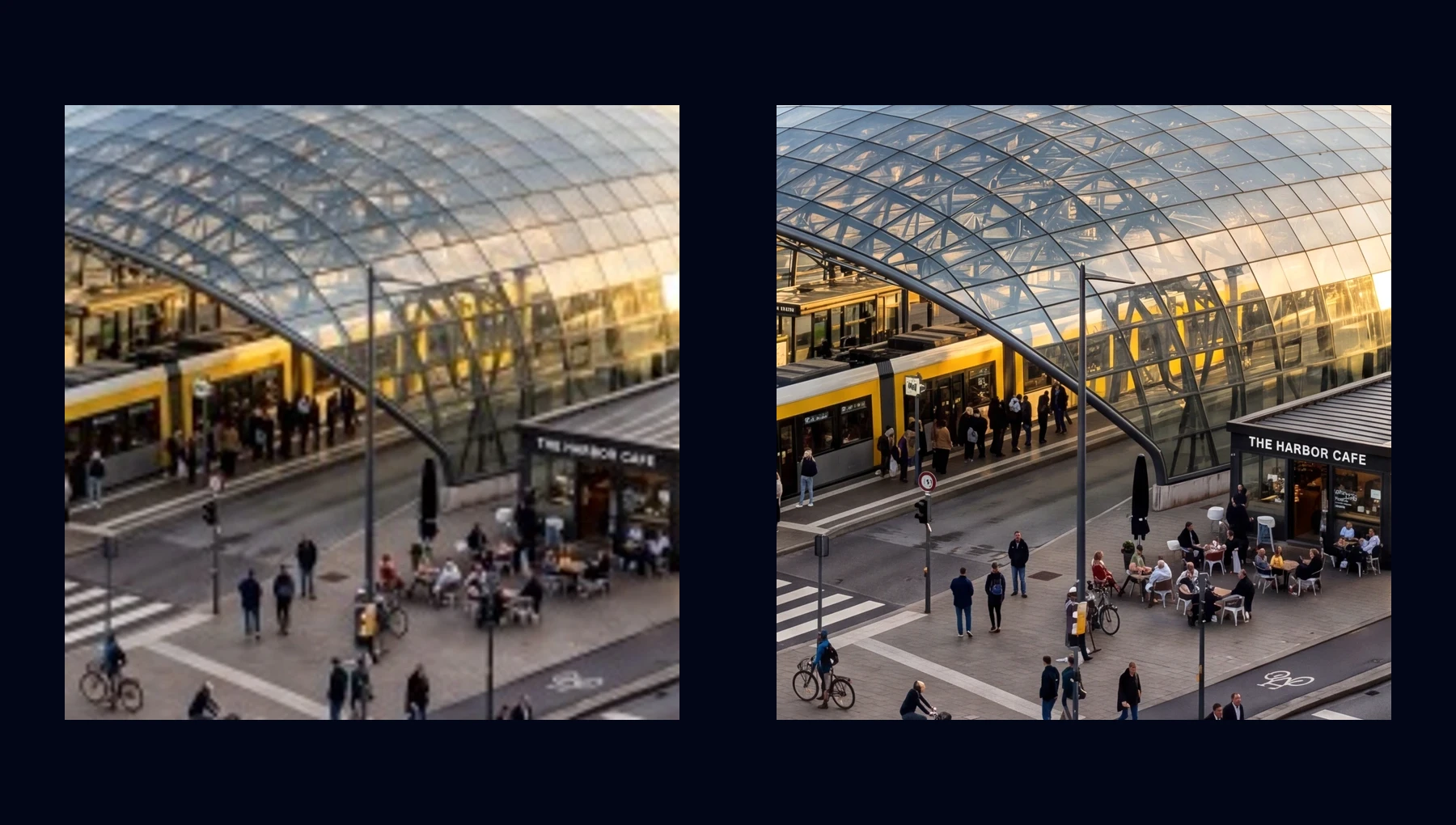
Scene depth
City depth and transit lines
Hard edges, signs, rails, and background depth stay sharper than a stretched low-resolution file.
512px preview
512 × 512
4K export
4096 × 4096
Switch scene
What This Tool Is For
🖼️
Uncrop Images
Recover space around portraits, products, and compositions that feel too tight.
↔️
Extend the Canvas
Add natural-looking background on the left, right, top, or bottom.
📐
Change Aspect Ratio
Turn a square image into a wide banner or vertical story format.
🎨
AI Outpainting
Generate believable edges instead of stretching or cloning the original pixels.
Image Expander vs Upscaler vs Background Changer
These three tools sound similar, but the user intent is different. Image Expander adds space around the current frame. Upscaler increases resolution. Background Changer swaps the scene behind the subject.
Image Expander
Adds new visual area around the photo
Image Upscaler
Makes the image larger and sharper
Background Changer
Replaces the current background with a new one
Best Use Cases
📱
Turn 1:1 into 16:9
Expand square social images into YouTube thumbnails, banners, and ads.
👤
Uncrop Portraits
Add headroom, shoulder room, or negative space for profile and hero images.
🛒
Product Layouts
Give products more margin so pricing, labels, or CTA text fit cleanly.
🖥️
Hero Banners
Extend scenes to fit website headers and landing page hero sections.
FAQ
What is AI outpainting?
AI outpainting extends an image beyond its original borders by generating new pixels that match the existing scene, perspective, and lighting.
How is this different from upscaling?
Upscaling increases the resolution of the current image. Expanding adds new space around the image. You often use expander first, then upscale if you need a larger final export.
Can I expand just one side?
Yes. You can ask for more room on one side only, such as “add background on the left for ad copy” or “extend the sky upward.”
Will the subject stay centered?
Usually yes if you ask for it. Prompts like “keep the subject unchanged and extend the background around it” help preserve the original composition.
More AI Tools
AI Image Editor
Edit with natural language
Image Enhancer
Improve quality instantly
Image Upscaler
Upscale to HD/4K
Photo Restoration
Restore old and damaged photos
Face Retouch
Smooth skin & beautify
Background Remover
Remove backgrounds instantly
Background Changer
Swap any background
Transparent Background
PNG with no background
Object Remover
Erase unwanted objects
Watermark Remover
Clean watermarks away
Quality Checker
Analyze image quality
Image Compare
Compare two images
Image Converter
Batch convert image formats
Turn the next image into something you can use.
Try one edit, save the result, then scale into listings, ads, posters, and covers.
1 free daily credit · No card · Upgrade when output matters