Escalador de Imágenes con IA
Escala cualquier imagen a HD o 4K: la IA reconstruye los detalles que parecían perdidos.
Inicia sesión para editarSin tarjeta10 segundos
Cargando editor...
Prueba 4K
Comprueba un detalle 4K real antes de pagar.
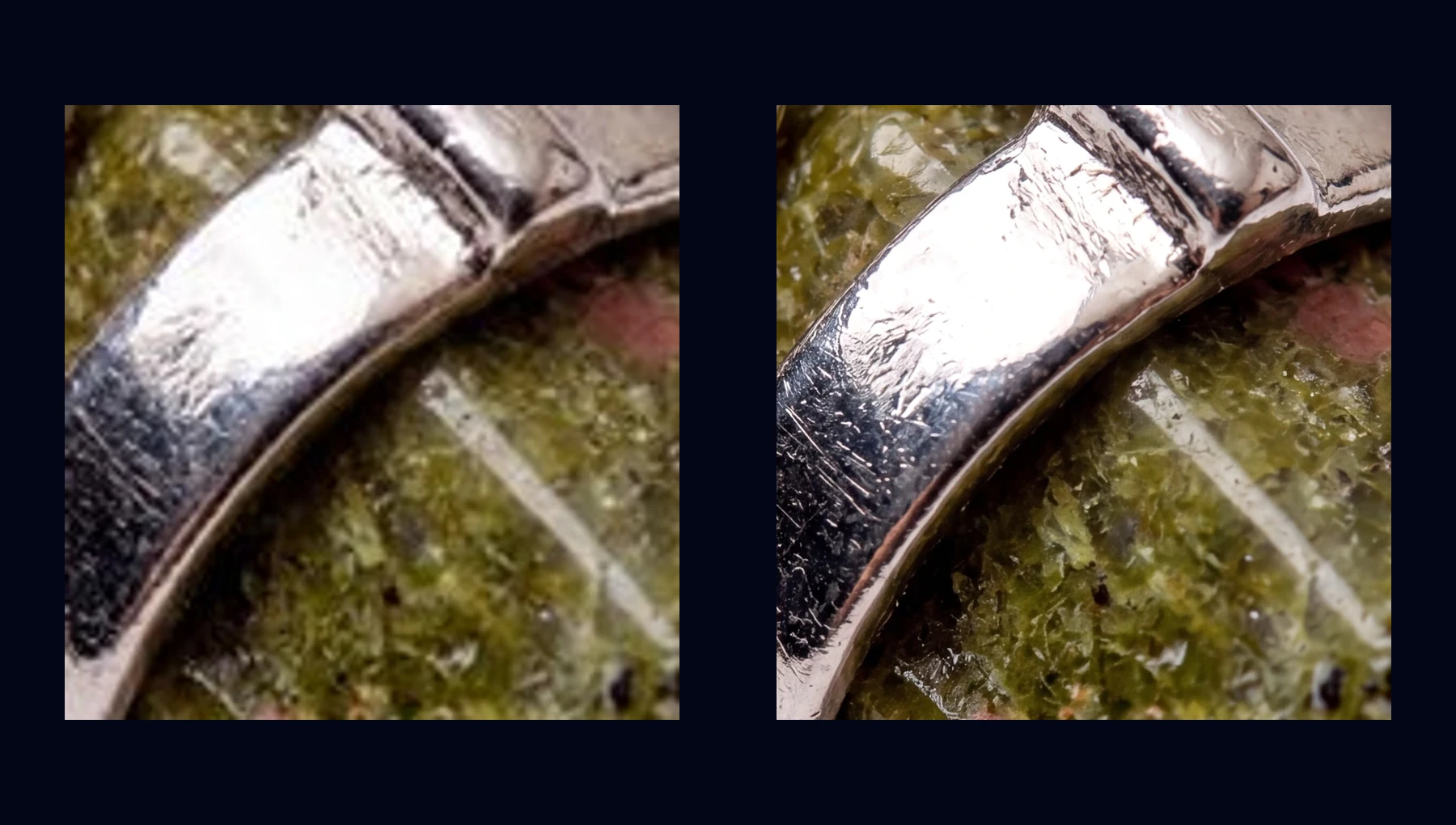
Compara el mismo recorte local: la vista previa real de 512 px ampliada junto a una exportación limpia en alta resolución. Hay una muestra 4K completa para descargar.
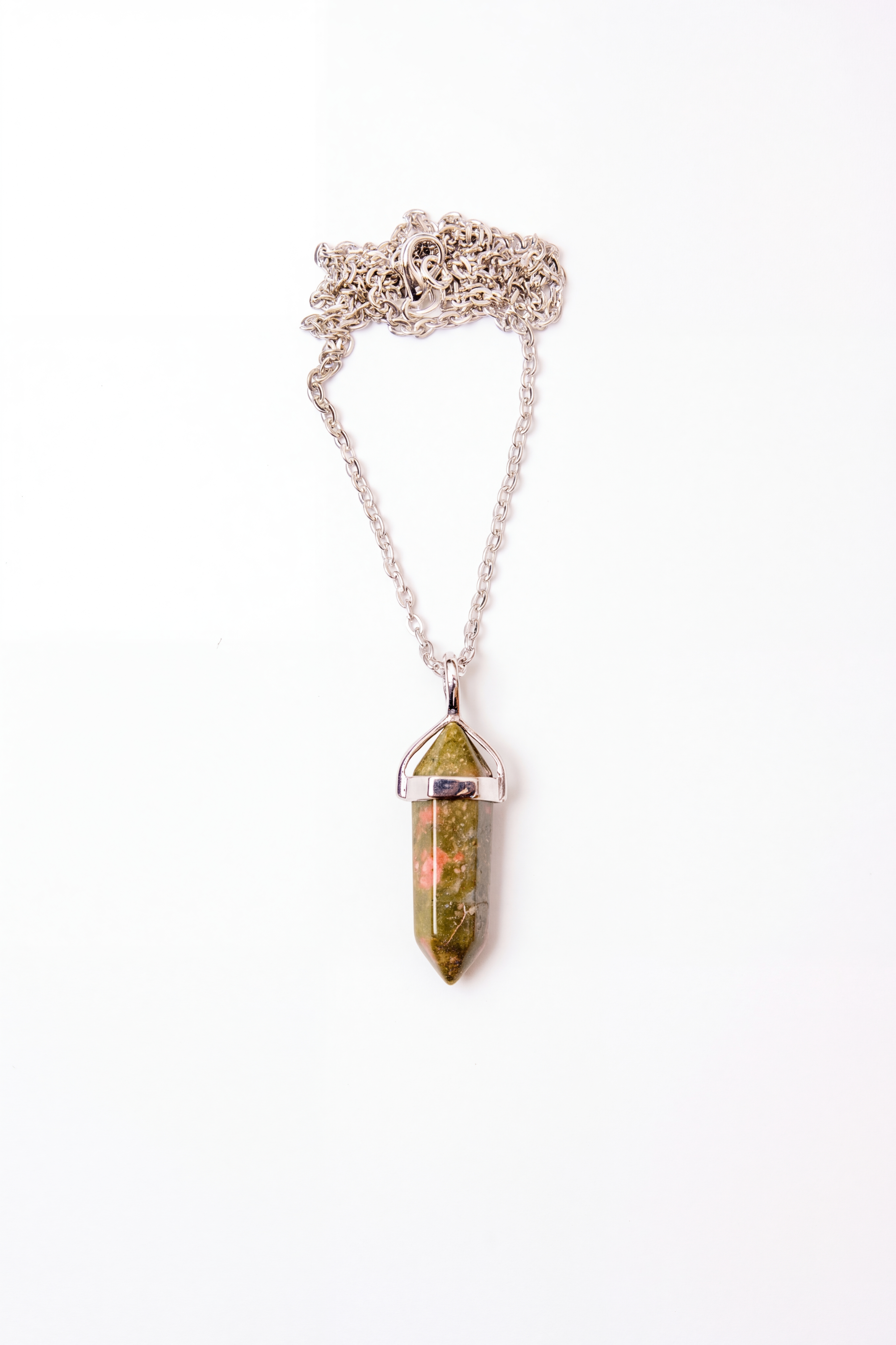
Prueba predeterminada: Textura de metal y piedra341 × 512 → 3368 × 5056
Textura
Textura de metal y piedra
Rayas finas, bordes metálicos reflectantes y grano de piedra siguen legibles al exportar.
Vista 512 px
341 × 512
Exportación 4K
3368 × 5056
Cambiar escena
Cómo Funciona el Escalado con IA en 3 Pasos
1
Sube tu imagen
Añade cualquier JPG, PNG o WebP de hasta 10 MB. Sirven capturas, fotos del móvil y escaneos antiguos.
2
La IA reconstruye detalle
El modelo analiza la imagen y regenera texturas, bordes y detalle fino que se habían perdido en baja resolución.
3
Descarga en HD o 4K
Empieza con una descarga de 512px con marca de agua, o desbloquea exportaciones limpias en HD y 4K después de tu primera compra.
Escalador con IA vs Redimensionador Tradicional
Un redimensionador normal solo estira los píxeles que ya existen: la imagen se hace más grande, pero también más borrosa y pixelada. Un escalador con IA es distinto: genera detalle nuevo y plausible para que la imagen se vea más nítida al subir de tamaño.
Redimensionado tradicional
- Estira los píxeles existentes
- Los bordes se vuelven borrosos
- El texto pierde legibilidad
- No recupera detalle nuevo
Escalador IA de NanoEdit
- Reconstruye textura perdida
- Mantiene bordes nítidos en 2x y 4x
- Limpia texto y rostros
- Funciona bien con capturas y fotos comprimidas
Casos de Uso
🖨️
Fotos listas para imprimir
Lleva fotos del móvil a calidad de impresión para pósters, cuadros y lienzos
🔎
Hacer zoom sin píxeles
Recorta y acerca detalles sin que aparezca el típico efecto pixelado
📸
Imágenes web de baja resolución
Mejora capturas, imágenes comprimidas y archivos pequeños antes de reutilizarlos
📱
Redes sociales
Haz que tus imágenes se vean nítidas en pantallas de alta densidad
🛒
Listados de ecommerce
Amplía fotos de producto a tamaños aptos para marketplaces sin perder definición
🎮
Arte, anime y capturas
Escala pixel art, ilustraciones y screenshots manteniendo líneas limpias
Escalador, Ampliador, Mejorador de Resolución: Mismo Objetivo
Se llame escalador de imágenes, ampliador con IA o mejorador de resolución, la idea es la misma: hacer una imagen pequeña o borrosa más grande y más nítida sin perder calidad. NanoEdit cubre todos esos usos en un solo flujo.
Algunas herramientas separan mucho "escalar" de "mejorar". Con instrucciones en lenguaje natural esa diferencia se vuelve menos importante: puedes escribir "escala a 4K y mejora el detalle" y la IA hace ambas cosas de una vez. Si solo quieres limpiar una foto sin cambiar el tamaño, usa el mejorador de imágenes. Si además necesitas arreglar el fondo, puedes combinarlo con el eliminador de fondo. mejorador de imágenes y combínalo con el eliminador de fondo.
También cubre búsquedas como “escalar imagen online” o “aumentar resolución”. Si tu objetivo es ampliar una foto pequeña, prepararla para impresión o recuperar detalle antes de exportar, este flujo está hecho para esa intención.
Si buscas un escalador de imágenes gratis online, NanoEdit funciona en navegador de escritorio o móvil y te deja empezar después de iniciar sesión. Cuando necesites más créditos o exportaciones más grandes, puedes hacer upgrade más adelante.
Preguntas Frecuentes
¿Cuánto puedo ampliar una imagen?
La IA suele escalar imágenes entre 2x y 4x manteniendo una calidad muy buena. El resultado final siempre depende de la calidad del archivo original.
¿Escalar reduce la calidad?
No. La IA genera detalle nuevo en vez de estirar píxeles, por eso el resultado se ve mucho mejor que un simple resize.
¿Qué diferencia hay entre un escalador y un mejorador de imágenes?
El escalador aumenta dimensiones; el mejorador mejora calidad a tamaño similar. NanoEdit puede hacer ambas cosas en una sola edición.
¿Cuál es el tamaño máximo de archivo?
Puedes subir imágenes de hasta 10 MB en JPG, PNG o WebP.
¿Sirve para capturas o imágenes web de baja resolución?
Sí. Capturas, fotos comprimidas y escaneos antiguos suelen beneficiarse mucho del escalado con IA.
¿De verdad es gratis?
Inicia sesión para editar. Los usuarios gratis reciben 1 crédito diario gratis. Sin tarjeta. Las descargas gratis incluyen 512px y las resoluciones mayores usan créditos.
¿Funciona con anime, pixel art o ilustraciones?
Sí. La IA mantiene líneas limpias y suele rendir bien con ilustraciones, anime y pixel art.
Más Herramientas IA
Editor de Imágenes IA
Edita con lenguaje natural
Mejorador de Imágenes
Mejora la calidad al instante
Expansor de Imágenes
Amplía el lienzo y completa bordes
Restauración de Fotos
Restaura fotos antiguas y dañadas
Retoque Facial
Suavizar piel y embellecer
Eliminador de Fondo
Elimina fondos al instante
Cambiador de Fondo
Cambia cualquier fondo
Fondo Transparente
PNG sin fondo
Eliminador de Objetos
Borra objetos no deseados
Eliminador de Marcas de Agua
Limpia marcas de agua
Verificador de Calidad
Analiza la calidad de imagen
Comparador de Imágenes
Compara dos imágenes
Conversor de Imágenes
Convierte formatos por lotes
Tus Fotos Merecen Más
Resultados profesionales en segundos. Sin habilidades de diseño.
Inicia sesión para editar · Sin tarjeta · Resultados en segundos